

Buying security keys takes an afternoon. Getting 2,000 employees to use them takes a plan. Security keys for enterprise data protection deliver their value only when every high-risk account depends on them and the weaker sign-in options are removed. This guide gives you that plan: who to protect first, how to provision keys without flooding the help desk, how to connect them to Microsoft Entra ID, and how to build the cost case your CFO will sign.
Key Takeaways
- Start with risk, not headcount. Admins, finance, executives and anyone with access to customer data get keys first.
- Issue two keys per user. A second key prevents lockouts if a key is lost or damaged, removing the need to have a weaker authentication method as a fallback.
- Pre-provision where you can. Enrolling keys before they ship cuts setup calls and gets users signing in on day one.
- Enforce, then retire fallback. Conditional Access policies that require phishing-resistant MFA, plus removing SMS and app codes, finish the job.
- Budget beyond the hardware: include provisioning time, spares and support, then weigh them against password-reset tickets and data breach exposure.
Table of Contents
- Why enterprises move to security keys
- Security key vs mobile authenticator for enterprises
- The five-phase rollout plan
- How to integrate FIDO keys with Microsoft Entra ID
- Security key management for large organizations
- Enterprise MFA implementation costs and ROI
- Enterprise security key deployment best practices
- FAQ
Why Enterprises Move to Security Keys
Attackers do not need to break encryption when they can borrow a login. Real-time phishing kits now relay passwords and one-time codes to the genuine sign-in page, so SMS and app codes no longer stop a determined attacker. FIDO2 security keys refuse to sign in on a fake domain, keep their private keys in hardware and leave nothing reusable on your servers.
U.S. guidance points the same way. CISA's fact sheet on phishing-resistant MFA names FIDO/WebAuthn as the widely available phishing-resistant option, and NIST's highest authenticator assurance level calls for hardware-based, phishing-resistant authenticators.
Security Key vs Mobile Authenticator for Enterprises
Mobile authenticator apps and phone-based passkeys cost less per user. For enterprise data protection, weigh these differences:
| FIDO2 security key | Mobile authenticator app | |
|---|---|---|
| Phishing resistance | Yes, domain-bound | Code and push apps: no. Phone passkeys: yes |
| Depends on personal phone | No | Almost always |
| Where the secret lives | Dedicated secure chip | Phone shared with other apps |
| IT control | Issued, tracked, revoked as an asset | Tied to a device IT may not manage |
| Works in phone-free areas | Yes | No |
| Survives phone loss or upgrade | Yes | Requires re-enrollment |
Many enterprises use both: security keys for privileged and regulated roles, and managed-device passkeys for the wider workforce.
The Five-Phase Rollout Plan
Phase 1: Sample and test (2-4 weeks)


Pick the key models for each device type and test them against your identity provider, VPN, workstation login and critical apps. FEITIAN offers complimentary evaluation kits of up to two keys for qualified organizations through its Entra ID passkeys program.
Choose by device:
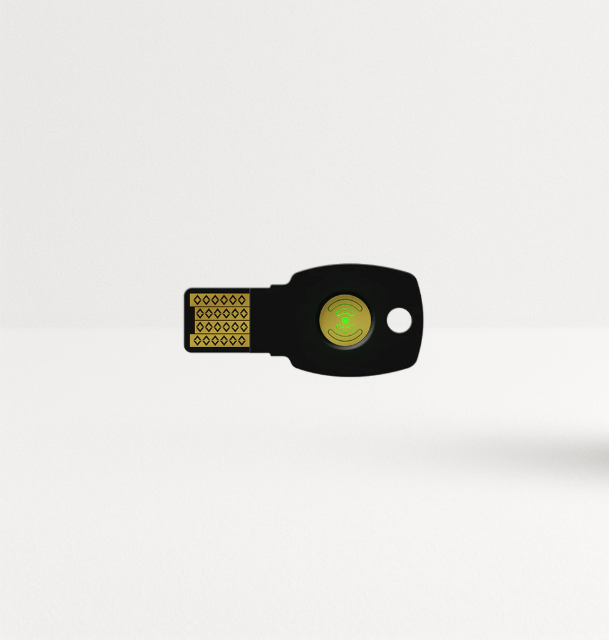
- USB-C laptops and NFC phones: K40+ (FIDO2, PIV, OATH, OpenPGP).
- USB-A desktops: K9+.
- Shared workstations or PIN-averse users: K33 AllinPass fingerprint key.
Phase 2: Pilot with IT and security (2-4 weeks)
Enroll your own team first. They will find the edge cases: the legacy app that only takes OTP, the kiosk with no USB port, the contractor on a locked-down laptop. Multi-protocol keys such as the K40+ cover many of these with OATH codes or PIV.
Phase 3: Protect privileged and high-risk users
Roll out to admins, finance, HR, executives and customer-data teams. Give each person two keys. Turn on enforcement for this group as soon as they enroll.
Phase 4: Expand by department
Move through the organization in waves. Pre-provisioned keys and additional resources prevent confusion during rollout.
Phase 5: Retire the fallback
Remove SMS, voice and app-code methods for enrolled users. Leaving them as fallbacks gives attackers a vulnerability to exploit.
Planning a Microsoft Entra ID migration? Download FEITIAN's migration guide and request evaluation keys on the hardware-bound passkeys for Entra ID page.
How to Integrate FIDO Keys with Microsoft Entra ID
Microsoft Entra ID (formerly Azure AD) supports FIDO2 security keys as passkeys. The core steps, per Microsoft's documentation:
- Enable the method. In the Microsoft Entra admin center, open the authentication methods policy and enable Passkey (FIDO2) for a target group, starting with your pilot.
- Decide on key restrictions. You can enforce attestation and allow only specific key models by their AAGUID, so users cannot register unapproved devices.
- Register keys. Users add a key from their Security info page, or IT pre-enrolls keys on their behalf.
- Require it. Create a Conditional Access policy that requires the "Phishing-resistant MFA" authentication strength for the protected group and apps.
- Clean up. Disable weaker methods for enrolled users once adoption is complete.
The same keys work with Okta, Ping Identity, Google Workspace and Cisco Duo. FEITIAN joined the Cisco SolutionsPlus program with Duo in February 2026.
Security Key Management for Large Organizations
At a few hundred users, a spreadsheet works. At a few thousand, you need process:
- Asset tracking. Record which serial number went to which person, and when.
- Provisioning. Pre-enroll keys to user accounts before they ship. FEITIAN's KeyProvision tool handles pre-enrollment for Entra ID.
- Lost and stolen keys. Users sign in with their backup, revoke the lost key from their account and request a replacement through a verified process.
- Joiners and leavers. Add key issue to onboarding and key revocation to offboarding.
- Spares. Keep a small stock of pre-tested keys for replacements.
For enterprises that prefer operating budget over capital spend, FEITIAN offers FKaaS (FEITIAN Key as a Service): a 24-month subscription that bundles keys with pre-configuration, assignment to users, shipping to your US facilities, priority support and replacement coverage.
Enterprise MFA Implementation Costs and ROI
Build the cost case from four lines, not one.
Costs
- Hardware: users × 2 keys × unit price, plus 5-10% spares.
- Provisioning time: IT hours per user for enrollment (lower with pre-provisioning).
- Support: extra help desk time during each rollout wave.
- Licensing: identity provider features such as Conditional Access, if not already licensed.
Savings and risk reduction
- Password reset tickets: passwordless sign-in removes many of them. Pull your current monthly count and cost per ticket from your service desk.
- Account takeover incidents: estimate the cost of investigating and containing one compromised account in your environment, then the number you see a year.
- Audit and insurance: phishing-resistant MFA increasingly appears in cyber insurance questionnaires and customer security reviews.
An illustrative example (replace every number with your own): 1,000 users, two keys each at an assumed $50 per key, gives $100,000 in hardware. If passwordless sign-in removes 300 reset tickets a month at an assumed $20 each, that alone returns $72,000 a year, before you count a single avoided breach.
Check current pricing on the FIDO2 security keys collection, and contact sales@ftsafe.us for orders over 100 units.
Enterprise Security Key Deployment Best Practices
- Standardize on two or three models to simplify support.
- Choose multi-protocol keys (FIDO2 + PIV + OATH) when you still run legacy systems.
- Pre-provision keys for non-technical staff; let technical staff self-register.
- Give every user a backup key and test the recovery flow before launch.
- Enforce with Conditional Access as each group enrolls.
- Remove SMS and app-code fallback within weeks, not quarters.
- Check purchasing rules such as TAA compliance for federal contracts before you order.
- Measure adoption weekly: percentage enrolled, percentage enforced, fallback methods still active.
Conclusion
Security keys for enterprise data protection work when you treat them as a program: sample, pilot, protect the riskiest users, expand in waves and switch off the fallback. Pre-provisioning and backup keys keep the help desk calm, Conditional Access makes the policy stick, and a four-line cost model gets budget approved. Start with the 50 accounts that would hurt most if someone took them over.
Start your pilot: request complimentary evaluation keys for Entra ID or email sales@ftsafe.us to plan a volume rollout.
FAQ
How many security keys does each employee need?
Two. One for daily use and one stored safely as a backup. FEITIAN's Entra ID rollout guidance recommends two keys per user, starting with admins and privileged accounts.
How do I integrate FIDO keys with Azure AD (Microsoft Entra ID)?
Enable Passkey (FIDO2) in the Entra authentication methods policy, optionally restrict allowed key models by AAGUID, have users or IT register keys, then require the "Phishing-resistant MFA" authentication strength through Conditional Access.
How long does an enterprise security key rollout take?
It depends on size and complexity. A pilot typically takes a few weeks; protecting privileged users can follow within a month; full workforce coverage usually runs in department waves over one or more quarters.
What does enterprise MFA implementation cost?
Hardware is users × 2 × unit price plus spares. Add IT provisioning hours, extra support during rollout and any identity licensing you lack. Offset it with fewer password-reset tickets and lower account-takeover risk.
Can we pay for security keys as a subscription?
Yes. FEITIAN Key as a Service (FKaaS) lets enterprises pay for keys from operating budget, with pre-configuration, user assignment, US shipping, priority support and replacement coverage included.
Do security keys work with Okta and Google Workspace too?
Yes. FIDO2 keys work with any identity provider that supports FIDO2/WebAuthn, including Okta, Ping Identity, Google Workspace, Cisco Duo and Microsoft Entra ID.

Share:
Which Security Key Protects Against Account Takeovers?