

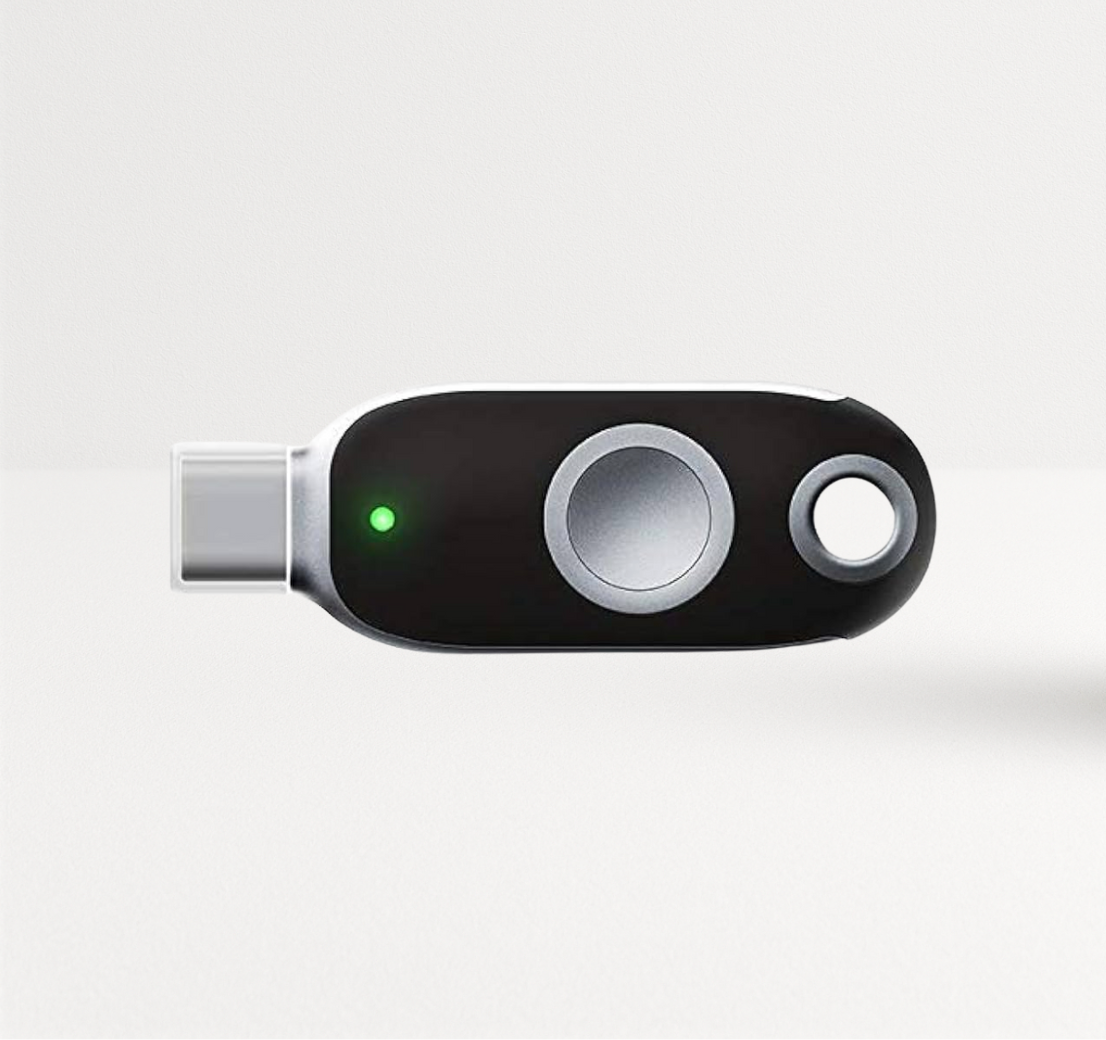
It is possible to protect accounts from attackers, even if they already know your password and even when they can exploit certain two-factor authentication protocols, such as through phishing or SIM-swapping. When the account requires a FIDO2 security key, it is protected from phishing attacks, leaked passwords, and weak two-factor authentication protocols.
So which security key protects against account takeovers? Any key with FIDO2 certification, because it checks the website's domain before it signs you in (lookalike websites cannot steal valid credentials from FIDO2 security keys, preventing phishing). This guide shows you how this process works, the vulnerabilities of passwords and SMS codes, and how to choose the right key for your team.
Key Takeaways
- FIDO2 security keys stop phishing at the protocol level. The key binds each login to the real website domain, so a look-alike site receives nothing it can reuse.
- Passwords, SMS codes and app codes share one weakness: you can type them into the wrong site, handing critical security information to attackers. Because security keys are bound to a specific domain, security keys are not vulnerable to phishing websites.
- The private key never leaves the hardware. Your server stores only a public key, so a database breach leaks nothing an attacker can log in with.
- Choose by connector and workflow: USB-A or USB-C, NFC for phones, a fingerprint sensor for shared desks, PIV if you also need smart card login.
- Register two keys per person and remove SMS fallback, or attackers will target the weaker recovery path.
Table of Contents
- How account takeovers happen today
- Which security key protects against account takeovers?
- How a security key stops phishing, step by step
- Security keys vs passwords and SMS codes
- What to look for when you choose a security key
- Where a security key needs backup from your policies
- How to start
- FAQ
How Account Takeovers Happen Today
Most account takeovers start with stolen credentials. Attackers collect them in four common ways:
- Phishing pages that copy your login screen and capture what you type.
- Adversary-in-the-middle kits that sit between you and the real site. They pass your password and your one-time code to the real service in real time, then keep the session.
- SIM swaps, where a criminal talks your carrier into moving your number to their SIM and receives your SMS codes.
- Credential stuffing, where bots try passwords leaked from one breach against hundreds of other sites.
The middle-of-the-connection kits explain why adding a code to a password no longer settles the problem. If you can read a code, you can type it into a fake page, and the kit forwards it within seconds.
Which Security Key Protects Against Account Takeovers?
A FIDO2 security key protects against account takeovers because of three design choices in the FIDO2 standard from the FIDO Alliance.
Origin binding
When you register the key with a service, the key creates a credential tied to that service's exact domain. At login, your browser tells the key which domain is asking. If the domain is rnicrosoft-login.com instead of microsoft.com, the key has no credential for it and signs nothing. You cannot make the mistake, because the decision belongs to the key.
Public key cryptography with no shared secret
The key keeps a private key inside its secure chip and gives the service only the matching public key. A stolen copy of the service's user database contains public keys, which nobody can use to sign in. Compare that with passwords and one-time-code seeds, which both sides must store.
Proof that a human is present
The key requires you to touch it or scan your fingerprint before it signs, ensuring you're present before an authentication event.
The U.S. Cybersecurity and Infrastructure Security Agency names FIDO/WebAuthn authentication as the widely available form of phishing-resistant MFA in its phishing-resistant MFA fact sheet. NIST's digital identity guidelines (SP 800-63B) set the same bar for the highest authenticator assurance level.
How a Security Key Stops Phishing, Step by Step
Picture an employee who clicks a convincing "password expired" email.
- The link opens a pixel-perfect copy of the company sign-in page on a look-alike domain.
- The employee types a username. The fake page relays it to the real identity provider.
- The real provider asks for the security key. The fake page passes that request along.
- The employee's browser sends the key the domain it sees: the look-alike domain.
- The key finds no credential for that domain and returns nothing usable.
- The attacker ends up with a username, but no session or sensitive security information.
With an SMS code or an authenticator app, step 5 goes the other way: the employee reads the code, types it, and the attacker receives it.
Google described this effect when it required security keys for its own staff. Google told KrebsOnSecurity in 2018 that none of its more than 85,000 employees had been successfully phished on work accounts since it made keys mandatory in early 2017.
Security Keys vs Passwords and SMS Codes
| Method | Can a fake site capture it? | Secret stored on the server? | Exposed to SIM swap? | What you do at login |
|---|---|---|---|---|
| Password only | Yes | Yes (hash) | No | Type it |
| Password + SMS code | Yes, relayed in real time | Yes | Yes | Type both |
| Password + authenticator app | Yes, relayed in real time | Yes (seed) | No | Type both |
| Push approval | Users approve fake prompts | Varies | No | Tap approve |
| FIDO2 security key | No | No, public key only | No | Touch the key |
The difference between security keys and passwords comes down to who makes the trust decision. With a password, you decide whether the site is real. With a FIDO2 key, the cryptography decides, and it does not get tired, rushed or fooled by a logo.
Rolling out keys to a team? FEITIAN offers complimentary evaluation keys for qualified organizations testing passkeys in Microsoft Entra ID. Request your sample keys.
What to Look For When You Choose a Security Key
Every FIDO2-certified key gives you the core phishing protection described above. The right key depends on the devices your people use and what else you need the key to do.
1. FIDO2 certification
Check that the model carries FIDO2 certification and supports FIDO U2F for older services. Every key in FEITIAN's FIDO2 security keys collection is FIDO2 certified.
2. The right connector


- USB-C + NFC for modern laptops and phones: the K40+.
- USB-A + NFC for older desktops: the K9+.
- USB-C + Lightning for teams on older iPhones: the K44.
3. Extra protocols you already depend on
The K40+ and K9+ add Smart Card PIV, OATH HOTP/TOTP and OpenPGP alongside FIDO2. One key can sign your users into Microsoft Entra ID, a Windows workstation with smart card login and an older VPN that still expects a one-time code. FEITIAN lists the K40+ as FIPS 140-2 Level 2 certified with Level 3 physical security.
4. Biometrics for shared or high-risk desks

A fingerprint sensor replaces the PIN. The K33 AllinPass stores up to 16 fingerprint templates and 128 passkeys, and connects over USB-C, NFC or Bluetooth.
5. Room for passkeys
Passkeys that live on the key (resident credentials) take storage. The K40+ holds 44; the K33 holds 128. For more information about passkeys, read Passkeys Explained.
Where a Security Key Needs Backup From Your Policies
A security key closes the phishing door. Attackers then try the windows. Close these three:
- Recovery paths. If a help desk resets accounts over the phone, or SMS stays enabled as a fallback, attackers will use that route. Register a second key for each user and retire SMS once everyone is enrolled.
- Session theft after login. Malware on a compromised laptop can steal browser session cookies. Pair keys with endpoint protection and short session lifetimes on sensitive apps.
- Partial rollout. Protect administrators and finance teams first, but plan to cover every account that can reach sensitive data.
How to Start
- List the most critical accounts, such as the accounts with access to sensitive data or higher privileges: administrators, finance, executives, anyone with customer data.
- Confirm your identity provider supports FIDO2. Microsoft Entra ID, Okta, Ping Identity, Google Workspace and Duo all do.
- Pick a key per device type and order at least two per person, allowing continued account access even if a key is lost or damaged.
- Enroll a pilot group, then switch on "phishing-resistant MFA required" policies for them.
- Remove SMS, authenticator app, and push notification fallback for enrolled users.
For organizations moving to Microsoft Entra ID passkeys, FEITIAN's hardware-bound passkeys page walks through sampling, provisioning and rollout by risk.
Conclusion
The security key that protects against account takeovers is a FIDO2-certified key, registered on every account that matters, with weaker recovery options switched off. It works because it removes the human judgment call that phishing exploits: the key checks the domain, keeps its private key to itself and waits for your touch. Start with your highest-risk accounts, give each person a backup key and close the SMS fallback.
Ready to protect your team? Browse FEITIAN FIDO2 security keys, or email sales@ftsafe.us for orders over 100 units.
FAQ
Do security keys prevent phishing completely?
A FIDO2 security key prevents credential phishing: a fake site cannot get a usable login from it. Attackers can still exploit other routes, such as stealing session cookies through malware or abusing account recovery and fallback authentication methods. Pair keys with endpoint protection and strict recovery rules.
What is the difference between security keys and passwords?
A password is a secret you type and the server stores, and anyone who sees it can use it to sign in to your account. A security key holds a private key in hardware and proves possession with a signature tied to the real website, protecting authentication credentials from being stolen or exploited by remote attackers.
Is SMS two-factor authentication enough to stop account takeovers?
SMS codes stop basic password reuse but fail against real-time phishing kits and SIM swaps. Treat SMS as a stopgap and move high-value accounts to phishing-resistant authentication.
What happens if I lose my security key?
You sign in with your registered backup key, then remove the lost key from your account. This is why you should register at least two keys per person from day one.
Do security keys work on phones?
Yes. NFC models such as the K40+ and K9+ work with NFC-enabled phones by tapping. The K44 plugs into Lightning and USB-C devices, and the K33 also connects over Bluetooth.
Can one security key protect multiple accounts?
Yes. One FIDO2 key can register with an unlimited number of services that use non-resident credentials, and it stores passkeys up to its resident credential limit (44 on the K40+, 128 on the K33).


Share:
FEITIAN Partners with Cisco Duo and Joins the Cisco SolutionsPlus Program