

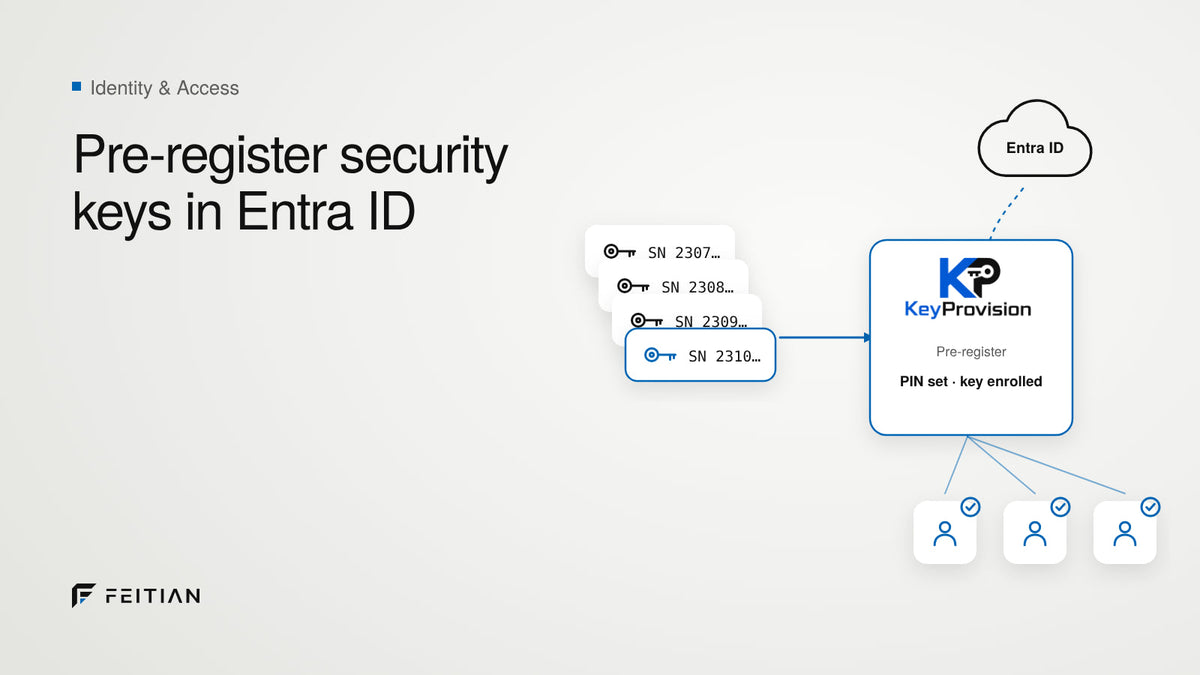
Self-registration works for technical staff. It leaves gaps for everyone else: warehouse and retail teams, people on shared workstations, and users who do not have a company phone for the first sign-in. FEITIAN KeyProvision closes that gap. It lets IT pre-register FIDO2 security keys directly to Microsoft Entra ID accounts before the keys ship, so each person receives a key that is ready to use. This guide covers how keys normally get onto accounts, what changes with KeyProvision, and how to plan a rollout. For the policy side of passkeys, read Passkeys vs Security Keys: What Changes for a Team.
Key Takeaways
- KeyProvision pre-registers FIDO2 keys to Entra ID accounts from one console. Keys ship ready to use.
- It is built for Microsoft Entra ID on Microsoft provisioning APIs. No custom client to write or maintain.
- It solves the users who cannot enroll themselves. Deskless, shared-workstation and less-technical staff.
- Self-service stays for everyone else. Most teams use both.
- Issue two keys per user. A primary and a backup, both registered on day one.
Table of Contents
- What KeyProvision Does
- How Security Keys Get onto Entra ID Accounts Today
- Self-Service vs KeyProvision
- Who Benefits Most
- Which FEITIAN Keys to Provision
- A Rollout Plan with KeyProvision
- Conclusion
- FAQ
What KeyProvision Does
KeyProvision is FEITIAN's provisioning tool for Microsoft Entra ID. Your admins use it to pre-register FIDO2 security keys to user accounts from one console, in batches, before the keys leave IT. Each key carries a hardware-bound passkey for its user: the credential is created on the key and cannot be synced, copied or exported.
KeyProvision is part of FEITIAN's Entra MFA Toolkit, next to OTPProvision, which batch imports OTP token seeds into Entra ID.
How Security Keys Get onto Entra ID Accounts Today
Route 1: users register their own keys. The user signs in to Security info with multifactor authentication, chooses Add sign-in method, then Passkey, then Security key, and follows the prompts to insert the key and set a PIN or fingerprint. Microsoft requires the user to have completed MFA within the past five minutes before registering. That works for people at a desk with a laptop and a phone. It is hard for a new hire with no phone yet, a picker on a warehouse floor or a nurse on a shared workstation.
Route 2: admins provision keys on behalf of users. Microsoft Entra ID supports administrator provisioning of FIDO2 security keys through Microsoft Graph, currently in preview. It needs the Authentication Administrator role or an app with UserAuthenticationMethod.ReadWrite.All permission, and three steps for every key:
- Request creation options for the user from Entra ID.
- Provision the passkey on the key with a client that speaks the Client to Authenticator Protocol (CTAP), inserting the key and setting a PIN.
- Register the new credential to the user in Entra ID.
Microsoft leaves the client to you: organizations build their own. That means a developer, testing, and maintenance as the preview APIs change.
Self-Service vs KeyProvision
| User self-service | Custom Graph scripts | FEITIAN KeyProvision | |
|---|---|---|---|
| Who does the work | Each user | A developer, then IT | IT admins |
| Needs MFA and a device at registration | Yes, per user | No | No |
| Batch registration | No | Only if you build it | Yes, batch pre-registration |
| Key ready when it arrives | No | Yes | Yes |
| Built on Microsoft provisioning APIs | Not applicable | Yes | Yes |
| Tool to build and maintain | None | Yours | None |
The time saving is not only in IT. Every user who receives a ready key skips a help-desk call about registration, and every group goes live on the date you planned instead of when the last person finds time to enroll.
Who Benefits Most
- Deskless and frontline staff. Retail, warehouse, field service and healthcare roles that never sit at a personal computer.
- Shared workstations. Where a phone-based method is impractical and a key on a lanyard is not.
- Less-technical users. People for whom a five-step enrollment is a support ticket.
- Privileged accounts. Admins and finance teams you want on hardware-bound passkeys first, with keys issued and recorded by IT.
- New hires. A key that works on day one, shipped with the laptop.
Which FEITIAN Keys to Provision
Every FEITIAN FIDO2 security key stores hardware-bound passkeys for Microsoft Entra ID. Capacity depends on the model: 22 on the K9B, 26 on the K40 and K39, 44 on the K40+, and 128 on models such as the A4B, K26, K45 and K33. Microsoft lists FEITIAN ePass, BioPass and AllinOne FIDO2 authenticators as eligible for attestation in Entra ID, so you can enforce attestation and allow only the FEITIAN models you issue. Compare every model in our FIDO2 security keys collection. If users will sign in to Windows with their keys, see Which Security Key Works with Windows Log-In?
A Rollout Plan with KeyProvision
FEITIAN's hardware-bound passkeys for Microsoft Entra ID page lays out a four-step migration:
- Sample and test. Request two keys, register them in your own tenant, and confirm the sign-in experience with your policies.
- Provision. Use KeyProvision to pre-enroll keys for users who cannot self-register, and teach the rest to do it themselves.
- Roll out by risk. Start with admins, finance and other privileged accounts. Issue two keys per user, a primary and a backup.
- Retire the fallback. Once a group is enrolled, turn off OTP and SMS on a schedule so attackers cannot downgrade to the weaker method.
Before step 2, set up the Passkey (FIDO2) policy in the Microsoft Entra admin center: target a pilot group, turn on attestation, and allow the FEITIAN AAGUIDs for the models you issue. For what happens after the keys are out, from replacements to offboarding, see the FIDO2 security key lifecycle. Still issuing OTP tokens to some users? OTPProvision handles those in the same way.
Conclusion
Self-registration leaves out the people who need phishing-resistant sign-in most and can enroll least. FEITIAN KeyProvision pre-registers FIDO2 security keys to Microsoft Entra ID accounts from one console, built on Microsoft provisioning APIs, so keys reach users ready to use and nobody writes a provisioning client. Book a KeyProvision demo or request up to two evaluation keys on our Microsoft Entra ID page.
FAQ
What is FEITIAN KeyProvision?
KeyProvision is a FEITIAN tool that lets IT administrators pre-register FIDO2 security keys directly to Microsoft Entra ID accounts from one console, before the keys ship to users. It is built for Entra ID on Microsoft provisioning APIs, so each key reaches its user ready to sign in with a hardware-bound passkey.
Can an admin register a security key on behalf of a user in Entra ID?
Yes. Microsoft Entra ID supports administrator provisioning of FIDO2 security keys through Microsoft Graph, currently in preview. It requires the Authentication Administrator role or an app with UserAuthenticationMethod.ReadWrite.All permission, and a client that creates the passkey on the key and registers it to the user. FEITIAN KeyProvision is built on these provisioning APIs, so admins do not have to write that client themselves.
Who needs pre-registered security keys?
Users who cannot easily register a key themselves: deskless and frontline staff, people on shared workstations, users without a company phone for the first sign-in, and less technical users. Technical staff can usually self-register from their Security info page.
Which FEITIAN keys can be used with Entra ID?
Every FEITIAN FIDO2 security key stores hardware-bound passkeys for Microsoft Entra ID. Capacity ranges from 22 passkeys on the K9B to 128 on models such as the A4B, K26 and K33, and Microsoft lists FEITIAN ePass, BioPass and AllinOne FIDO2 authenticators as eligible for attestation in Entra ID.
How many security keys should each user get?
Two: one for daily use and one stored safely as a backup, registered on day one so a lost key never forces a fallback to a weaker sign-in method.
Share:
What Is a PIV Card and What Do You Need to Use One?